This is a div block with a Webflow interaction that will be triggered when the heading is in the view.
- This means every click, view, and download from your employee email channel maps instantly to your CRM.
- Your team sends thousands of emails every week.
- Sales couldn’t act on buyer intent in real time.
- This disconnect left marketers under-reporting their impact and sellers blind to meaningful engagement signals.
- For a channel as powerful as employee email, that’s a big gap.

Your team sends thousands of emails every week. Each one carries your brand. Each banner drives clicks. But until now, those engagement signals rarely reached your CRM.
That meant:
- Marketing couldn’t prove ROI.
- Sales couldn’t act on buyer intent in real time.
- Attribution stopped at the inbox.
This disconnect left marketers under-reporting their impact and sellers blind to meaningful engagement signals. For a channel as powerful as employee email, that’s a big gap.
With Opensense, the gap is gone.
Why Real-Time Signals Matter
Every company invests heavily in CRM systems like HubSpot and Salesforce because they’re the system of record for customer relationships. But if critical touchpoints never make it in, the system — and the people who rely on it — lose value.
Think about it:
- A buyer clicks a webinar banner in an email signature, but sales never knows.
- A decision-maker downloads a key asset, but marketing can’t track attribution.
- A prospect watches through a full pre-recorded demo, but the engagement data never surfaces.
Without those insights, campaigns underperform, follow-ups stall, and revenue attribution gets murky.
That’s why real-time engagement signals inside your CRM matter. They close the loop between everyday email activity and the systems your teams already use to track, nurture, and convert deals.
Native HubSpot & Salesforce Integration
Opensense now delivers native integrations with HubSpot and Salesforce. No middleware, no custom hacks — just direct, secure, and reliable connections.
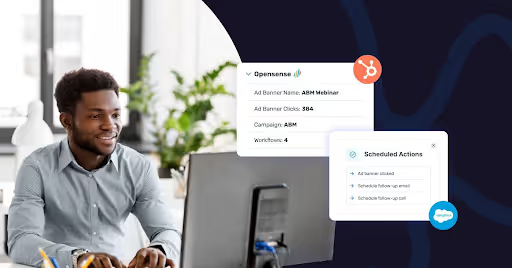
This means every click, view, and download from your employee email channel maps instantly to your CRM. Marketing finally sees attribution. Sales finally sees intent. IT finally gets a low-maintenance, secure solution.
What Data Flows Into Your CRM
Opensense captures far more than opens and clicks. Here’s what you can now see in HubSpot and Salesforce:
- Email opens (with multi-recipient tracking)
- Banner ad clicks
- Document views and downloads (even slide-by-slide)
- Video views and replays
- Website visits after an email click
Signals flow from Gmail, Outlook, mobile devices, and sales engagement platforms like HubSpot Sales Hub, Outreach, SalesLoft, and Gong. All mapped to the right contact, lead, or account in your CRM.
What You Can Do With It
⚡ Respond the Moment Buyers Engage
- HubSpot: Use engagement triggers in Workflows. Example: Add a contact to an SDR call queue after they click a webinar banner.
- Salesforce: Power Flows or Process Builder rules. Example: Automatically create a follow-up task when someone downloads a case study.
📋 Build Smarter Campaigns & Targeting
- HubSpot: Automate nurture streams. Example: Send event details after registration, a replay link if they miss it, or a new offer after engagement.
- Salesforce: Enrich Campaign Member lists and Reports, so you can see how different personas within an account engage across the buying committee.
💰 Connect Everyday Email to Revenue
- HubSpot: See banner clicks and signature engagement in campaign reporting, alongside your other marketing channels.
- Salesforce: Use Campaign Influence and Opportunity Attribution to show how email touchpoints contribute to closed-won revenue.
This closes the attribution gap that’s long held back employee email as a measurable channel.
Why Teams Love It
- Marketing: Prove ROI and optimize campaigns.
- Sales: Get real-time signals for smarter follow-up.
- IT: Enjoy a secure, native integration with no extra tools to maintain.
Employee email is one of the highest-volume, most consistent brand channels your company has. With Opensense, it becomes a measurable, attributable growth channel.
What’s Next
This is just the start. Opensense is committed to making buyer signals more visible, actionable, and valuable across every tool your team already uses.
👉 Talk to your Opensense account manager to enable HubSpot or Salesforce integration